MobileWebCam (MOD) 3.13
How to install APK / APKS / OBB file on Android
Prefer apkdog.in on GoogleHi, There you can download APK games file "MobileWebCam" for Android free, apk file version is 3.13 to download to your android device just click this button. It's easy and warranty. We provide only original apk files. If any of materials on this site violates your rights
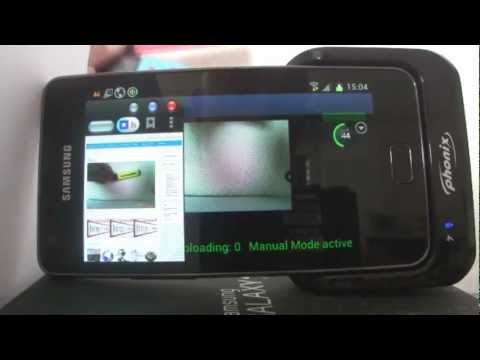
Use your Android as a simple mobile webcam, gsm camera or cloudcam via WIFI or Mobile Network!
The picture stored in the cloud can be watched from everywhere with a browser or for example my App WebLiveWallpaper. Upload picture with various methods like http, ftp or Dropbox, send it with email or store on your sdcard for example to create a timelapse video.
Use as simple but mobile timed webcam with refresh rates from seconds to hours, with motion detection or your defined daily activity times. High resolution pictures are also possible. Mark the pictures with text or image to advertise for your place or business.
Very easy to use with opensmartcam.com or SENSR.NET.
This app provides me with a simple possibility to mail someone (my wife) and start refreshing a webcam view of what I see with one buttontap. Also it can work as a more static webcam with set activity times and picture imprint if you got a spare or partially broken phone you want to place somewhere connected to power running all the time ...
Easiest usage without much setup hassle is with opensmartcam or sensr. Then you do not even need your own homepage/server!
In the app press the MENU phone button for settings!
Http setup for your own server:
To enable your personal webcam put the included (see http settings in app or support forum thread) two files on your server.
Your personal webcam is then viewable at
http://www.YOURSERVER.COM/WHEREEVERYOUPUTYOURFILES/
Server address to be entered in Settings of App is
http://www.YOURSERVER.COM/WHEREEVERYOUPUTYOURFILES/mobilewebcam.php
You also have to enable the server to write to this directory - chmod!
And you should really enable password protection for your website if you do not enhance the php page with some security measures (filesize limit, only jpg allowed, ...). Otherwise everyone can access your camera pictures and possibly even your server!
Again:
This webcam app is a bit different. It does not stream video. It is not meant to be placed next to or connected to your Computer. It will not have nice camera preview, fx or settings because old/broken androids can be used. This camera is intended to run without user (interaction) after initial setup possibly with a cheap 2G mobile data plan (in some countries/carriers for example 30 MB of data are free and that is enough to upload several pictures a day!).
For unstable devices autostart and reboot after a number of taken pictures (my cheap jpad tablet for example crashes after about 70 pictures in a row) can be enabled in the settings.
Go here to find some support:
http://forum.xda-developers.com/showthread.php?t=950933
Android 1.5 up for old cheap hardware usage.
Open Source: http://code.google.com/p/mobilewebcam-android/
---
Update history (important updates):
+ night mode
+ removable sd can be used
+ gps altitude, Galaxy Camera zoom fix
+ imprint web picture
+ cam delay
+ night settings
+ trigger burst mode and event notifications
+ log, backup
+ webinterface, fullscreen
+ custom font
+ large original picture upload
+ remote control
+ flashlight
+ custom picture size
+ motion detection settings
+ gps exif
+ mjpeg picture streaming
+ color editing
+ Android 1.5 and 1.6
+ gps location info for moving cams possible now
+ integrated webserver (simple, first version, WIFI only)
+ hex color input
+ control Intents (com.dngames.mobilewebcam.START, STOP)
+ night image detect, quality setting
+ white balance
+ timelapse video
+ zoom, frontcam
+ Background mode, Battery/Temp info
+ SMS remote control
+ experimental shutter sound mute
+ autostart and reboot settings
+ email pictures (no user interaction!)
+ store pictures on sd
+ motion detection fix
+ print PNG from sdcard over picture for nice effect, advertisement or marking
+ refresh rates throttle down until uploads finished
- LicenseFree
- File nameMobileWebCam
- File Version3.13
- Package namecom.dngames.mobilewebcam
- CategoryPhotography
- DeveloperMichael Haar
- Developer site
- Developer emaildngames@gmail.com
- Size734 KB
- UploadedJuly 2, 2017
- Android1.5 or later
- md5 hashf5b8dbf26a00f2ad4aaf372be0f59607
- Architecture-
- Permissions12 show
- Mivora AI-Video & Image Makerversion: 1.26.1109updated: Nov 09 2026rating: ★8.7/10
- Dance AI: AI Dance Video Makerversion: 1.1.5updated: Oct 12 2026rating: ★9.7/10
- Snap itversion: 1.3updated: Aug 30 2026rating: ★0/10
 y2k: 2000s photo editorversion: 2.09updated: Nov 11 2026rating: ★9.8/10
- Shots - AI Photo & Video Makerversion: 1.8.0updated: Nov 21 2026rating: ★9.4/10
- VWFNDR™ + MBLversion: 2.0.2updated: Nov 25 2026rating: ★8.8/10
- VidZen: AI Video Makerversion: 1.0.17updated: May 09 2026rating: ★0/10
- Monitor+version: 1.6.0updated: Oct 01 2026rating: ★8.1/10
- Camera HD: Ultra Zoomversion: 1.8updated: Sep 29 2026rating: ★8.9/10
- CRSL : Photo Collage Makerversion: 1.23updated: Nov 23 2026rating: ★6.7/10
- AirVid-AI Quality Enhancer Proversion: 2.2.2updated: Nov 02 2026rating: ★9/10
- Hypic - Photo Editor & AI Artversion: 10.2.0updated: Nov 24 2026rating: ★6/10
- SpicyLab: AI Video Generatorversion: 1.0.4updated: Jan 26 2026rating: ★8.1/10
- Winkit - AI Video Enhancerversion: 2.0.1updated: May 11 2026rating: ★9.1/10
- Hailuo AI: Image&Video Makerversion: 2.25.1updated: Nov 22 2026rating: ★8.8/10
- Background remover - remove.bgversion: 1.4.0updated: Mar 19 2024rating: ★7/10
- 0.3MP Cameraversion: 1.5.12updated: May 01 2026rating: ★8.9/10
- BabyGenie - AI Baby Generatorversion: 1.2.8.924updated: Sep 26 2026rating: ★8.7/10
- Streamlabs: Live Streamingversion: 3.22.2updated: Nov 15 2026rating: ★7/10
- Native Cameraversion: 1.4.8updated: Nov 17 2026rating: ★8/10
- AI Photo Generator: Muselab AIversion: 2.1.4updated: Nov 24 2026rating: ★9.5/10
- SCRL: Photo Collage Makerversion: 1.35.3updated: Nov 24 2026rating: ★9.5/10
- GPS Camera: Geotag Photo Mapversion: 32updated: Sep 22 2026rating: ★0/10
- Upload High Quality Statusversion: 15.0updated: Jul 28 2026rating: ★8.6/10
